
Groups
Organize addresses into groups
A long list becomes easier to use once related entries are together. Address Book lets you sort addresses into color-coded groups and create your own.
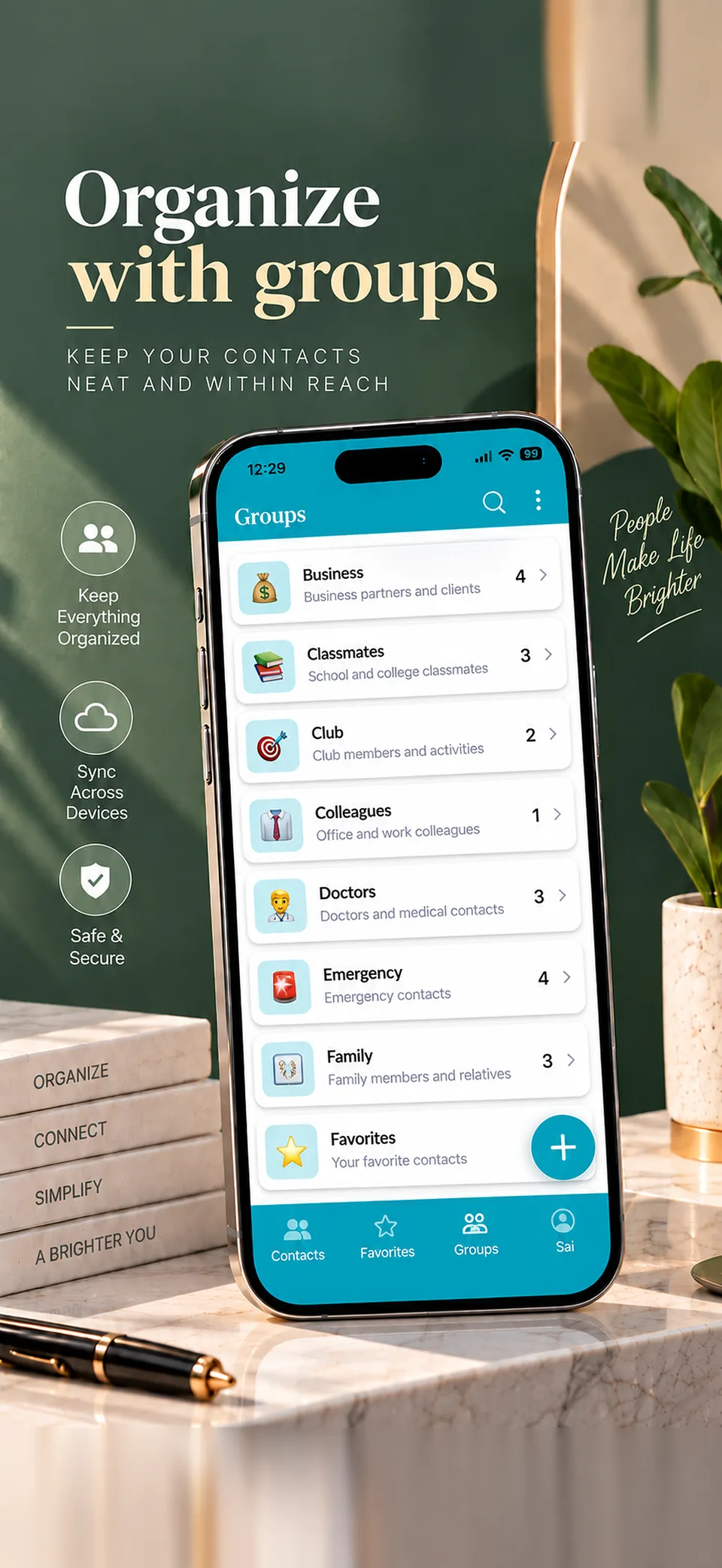
Create the groups you need
Start with groups like Family, Friends, Doctors or Work, or add a custom group for anything else. Color coding makes each one easy to recognize in your list.
Group by why you'll look it up
"Holiday cards" is more useful in December than "Old friends". Naming a group after its purpose means you can open it and start working straight away.
Keep it simple as it grows
Begin with a few broad groups, and split one only when it becomes hard to scan. Entries you need without opening a group are still in the alphabetical list with instant search.
Common questions
Can I create my own groups?
Yes. Along with groups like Family and Work, you can create custom groups with your own names.
Are groups color-coded?
Yes. Groups are color-coded, so they're easy to identify.
Are groups free to use?
Yes. Groups are part of the free app.
Can I still search all my addresses?
Yes. Instant search and the alphabetical list with its A-Z scrubber cover your whole address book.
Learn more
Address organizer
See how one simple list keeps people and places easy to find.
Address book app for Android
What the app does on Android, including what's free and what's paid.