
Google Maps
Save addresses with Google Maps directions a tap away
Address Book holds the details and Google Maps handles the route. On Android, open any saved address in Google Maps without typing it again.
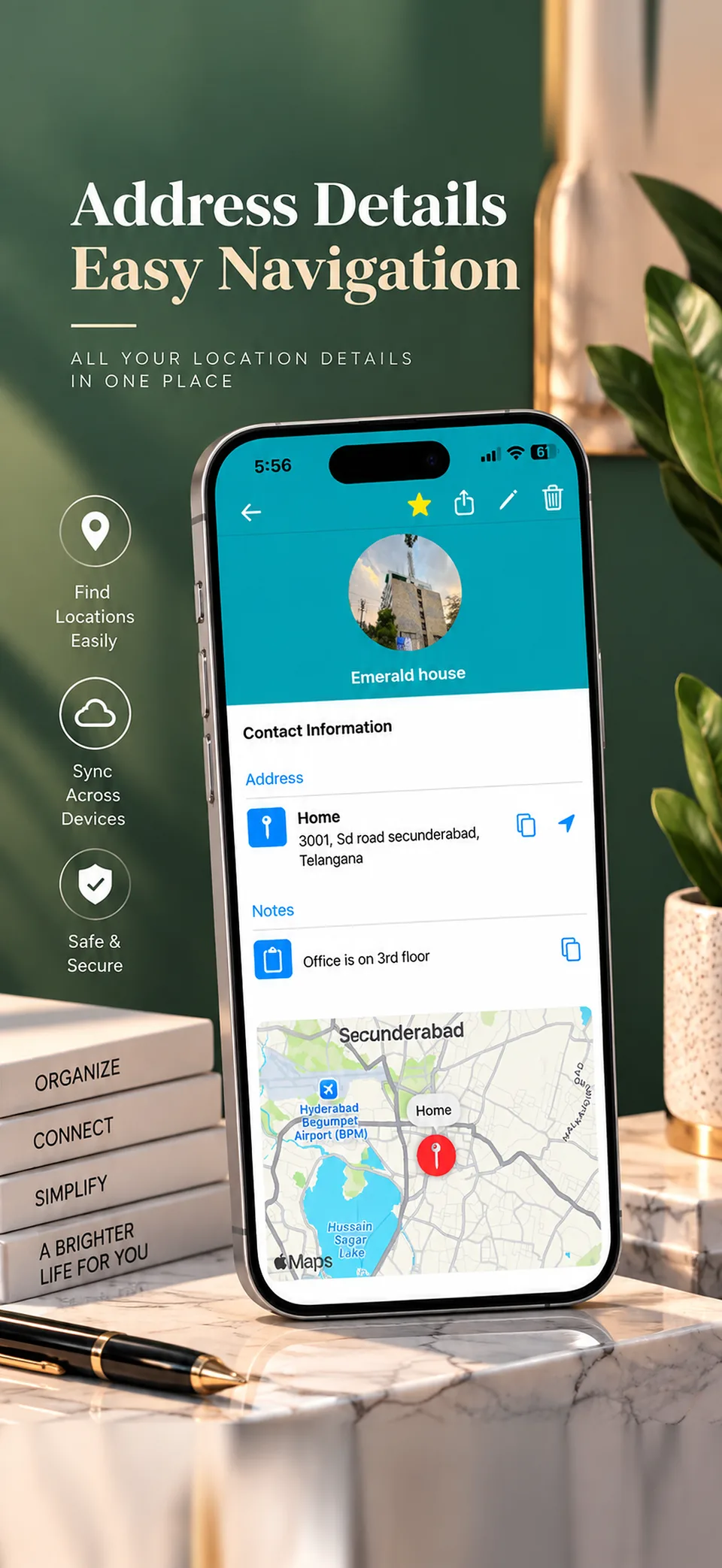
How it works on Android
Save the full address in an entry, along with any notes and phone numbers. When it's time to leave, open it from the entry and Google Maps takes over with directions.
When Google Maps alone is enough
Google Maps lets you save a place to a list or give it a private label. If you only need to get back to a few locations, that may be all you need.
When an address book helps more
A separate list is useful when an address comes with other details: two phone numbers, a birthday, a gate code or a note about parking. You can also sort these entries into groups that suit your list.
On iPhone
On iPhone, a saved address opens in your maps app for directions. Everything else about your list works the same way.
Common questions
Can I open a saved address in Google Maps?
Yes. On Android, a saved address in Address Book opens in Google Maps for directions.
Do I need to save the place in Google Maps as well?
No. The address is stored in Address Book, and you open it in Google Maps when you want directions.
Can I add a gate code or landmark to an address?
Yes. Add details like gate codes and landmarks in the entry's notes.
Learn more
Address book app for Android
What the app does on Android, including what's free and what's paid.
How to save addresses on Android
Compare Google Maps, Google Contacts and a dedicated app.