
A Simple Address Book App for Seniors That's Easy to Read
· 2 min read
An address book app for seniors should do one thing well: show each person clearly and let you call them in a single tap. Address Book keeps a plain, alphabetical list with every person's name, phone number and group, so there is nothing to hunt for.
This suits you whether you use the phone yourself or you are setting one up for older parents.
A simple screen, nothing in the way
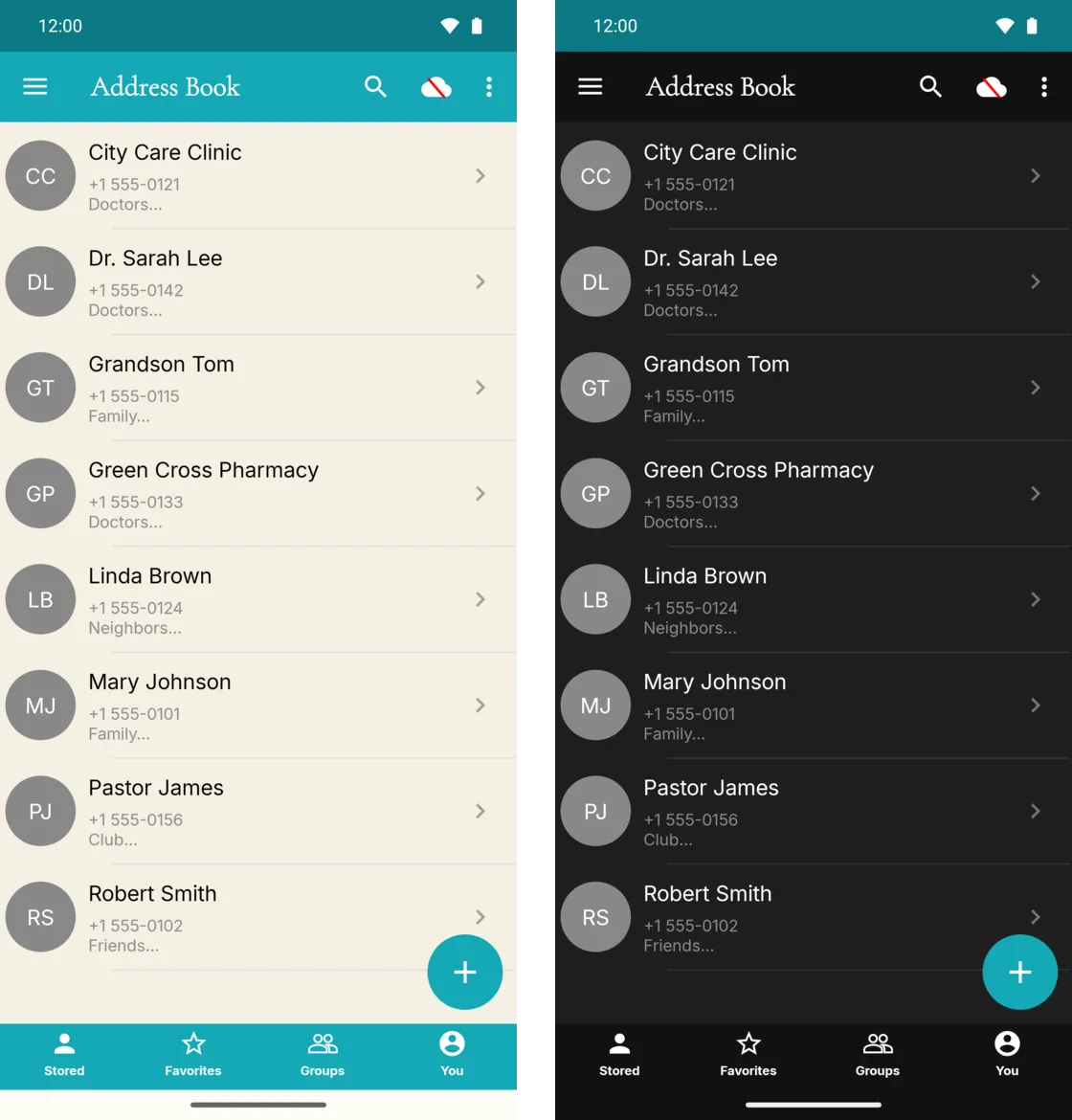
Many apps today are busy, with flashy screens, menus and pop-ups. Address Book stays quiet and clear.
Everything about a person sits on one page: their phone numbers, address, birthday and any notes. The same few tabs stay at the bottom the whole time — Stored, Favorites, Groups and You — so the app never moves around under you.
The buttons are large and easy to press, so you rarely tap the wrong thing. To call your daughter, you tap her name, then tap her number. That is all it takes. You can see how it looks on the features page.
Easy to read, day or night
For the daytime, light mode stays bright and clear, and it is free. For reading in bed or in a dim room, dark mode is gentler on the eyes. On Android, dark mode is part of the paid version.
Bigger text when you want it
A simple contacts app is only helpful if you can read it. On Android the app follows your phone's own text size, so when the text is bigger on the phone, it is bigger in Address Book too. This works for everyone, free or paid.
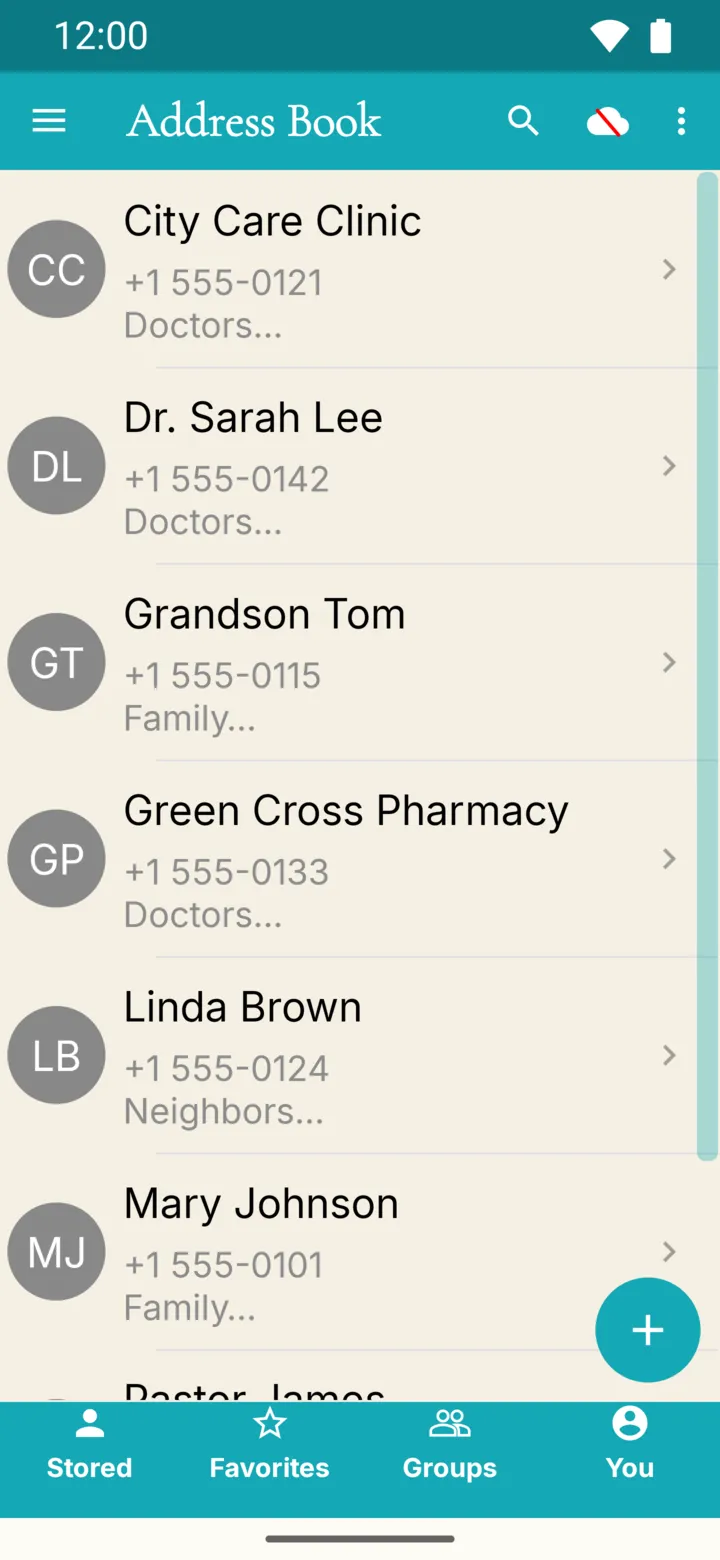
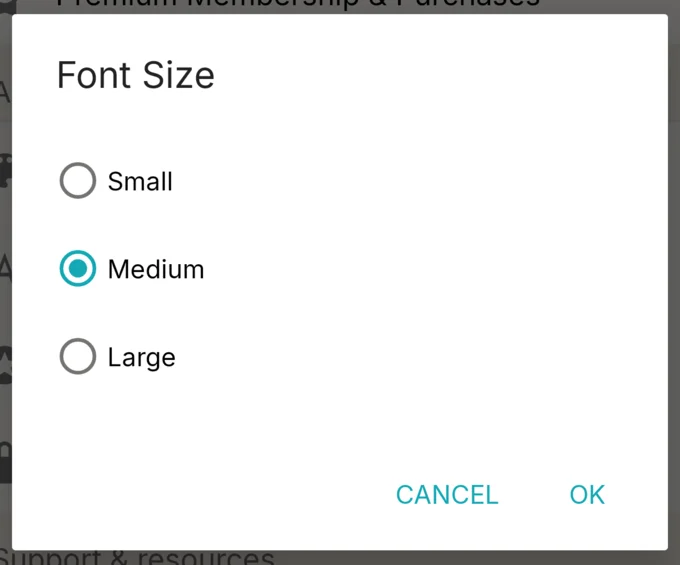
The paid version on Android adds one more choice. In the app's settings you can pick the size yourself:
- Open the You tab.
- Open App preferences and choose Font Size.
- Pick Small, Medium or Large.
A gentle list the whole family can use
Address Book gives older parents a calm, easy to use address book: a clear list, tap to call, and reminders for birthdays and anniversaries. Mark close family as favourites for quick access. It is free to download, works offline, and the free version needs no sign-up. Have a look at the Android page or the FAQ.
Frequently asked questions
Does Address Book work on a tablet?
Yes. It runs on Android tablets and iPad, so the same simple list is shown on a larger screen that can be easier to read.
Can I keep a photo with each person?
Yes. You can add a photo to each contact, which makes people easier to recognise at a glance.
Do I need an account to use it?
No. The free version works without signing up or logging in, so you can start adding people straight away.
Can I bring in the contacts already on the phone?
Yes. If you choose to, you can import the phone's contacts on Android and iPhone, so you don't have to type them all in.