
How to Keep Emergency and Doctor Contacts in One Place on Your Phone
· 2 min read
Keep your emergency and doctor contacts in one place by putting them in their own group on your phone, inside the Address Book app. Then every number, address and note is a tap away when you need it fast.
Make a group for them
In the app you can create color-coded groups such as Doctors or Emergency, and groups are free with no limit.
- Open the app and go to Groups. "Doctors" and "Emergency" are already there, or you can create your own.
- Add each contact: your doctor, dentist, local clinic and pharmacy.
- Open a contact and add it to the group.
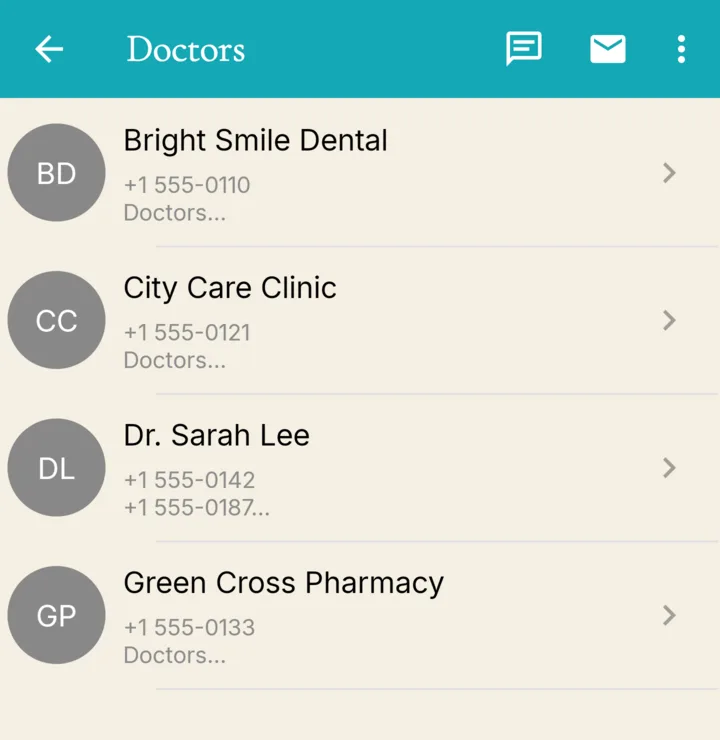
One contact can sit in more than one group, so a hospital can be in both "Doctors" and "Emergency".
Add the details you'll want in a hurry
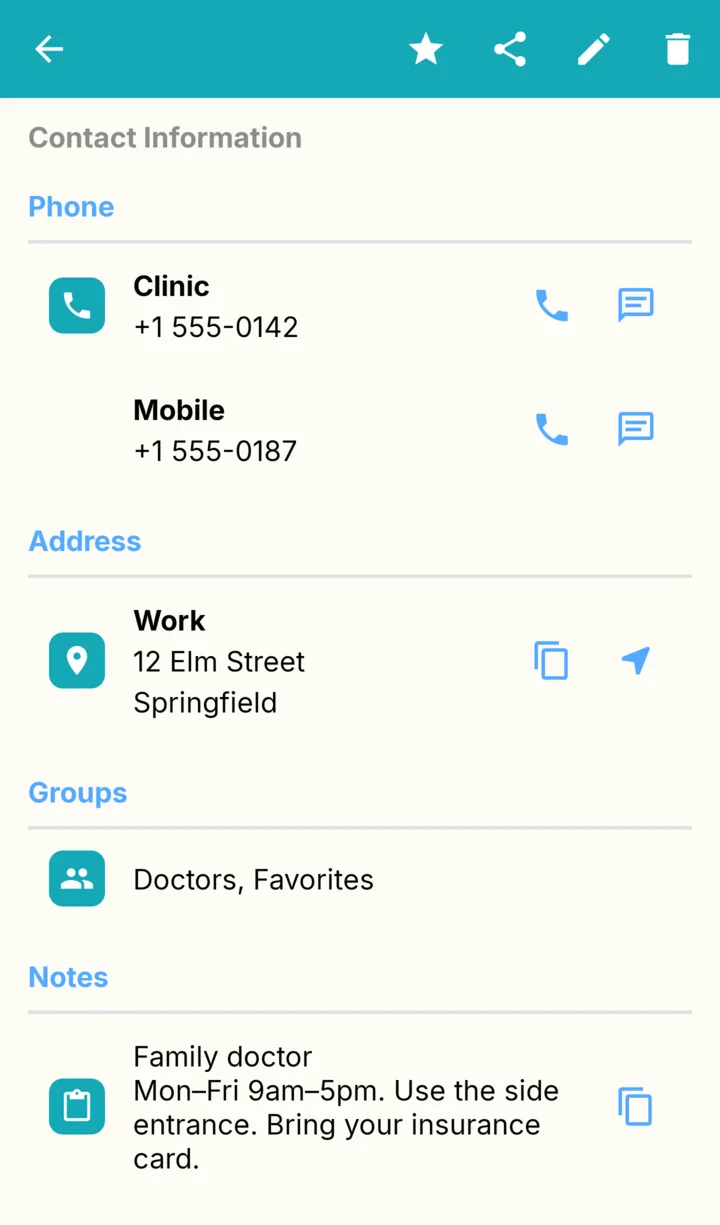
Each contact holds more than one phone number, so save the main line, the after-hours line and a mobile together. Add the clinic address, and an email if you have one.
Use the notes field for things you forget under stress: opening hours, which entrance to use, or your appointment reference. You can even keep notes on a contact as a voice note if typing is hard.
Mark the ones you call most as favourites for quick access.
Find and use them fast
When you need a medical contact, open the app and either scroll the A-Z list or search by name. Then:
- Tap the phone number to call.
- Tap the address to open it in your maps app for directions.
- Tap an email to copy it.
Because the app works offline, you can see and edit these contacts even with no internet, which helps in a basement clinic or a weak-signal area.
Keeping it all on your phone
Address Book keeps its own list of contacts, separate from your phone's contacts app, so your medical numbers don't clutter your everyday ones. It's free to download, works offline, and stores numbers, addresses, photos and notes for each doctor or clinic. On Android, the paid version also lets you lock the app with your phone's screen lock, keeping private notes to yourself.
Frequently asked questions
Will these contacts mix with my phone's existing contacts?
No. Address Book keeps its own separate list, so your medical and emergency numbers stay apart from your everyday contacts unless you choose to import them.
How many doctor or emergency contacts can I save?
There is no limit, even in the free version. You can save as many contacts and groups as you like.
Can I add a photo to each clinic or doctor?
Yes. You can add a photo to any contact, which makes the right one easier to spot in a hurry.
Can I keep these contacts on more than one device?
The paid version adds cloud backup and sync, so the same contacts appear on your other devices and come back when you log in on a new phone.