
How to Export Contacts: When You Need a VCF, CSV or Excel File
· 2 min read
To export contacts, you save the people on your phone as a file you can share or keep. Which file you need depends on the job: a VCF for restoring or sending contacts, a CSV for business tools, or an Excel spreadsheet for sorting and cleaning your list. Here's when each one fits, with a simple example.
When you need a VCF file
A VCF file, also called a vCard, is the standard contact file. Most phones and email apps can open it, and it keeps each person's name, numbers and emails together in one place. Pick it when you want to restore your contacts from a backup, or send someone's details to a friend or family member.
Example: your partner wants the family's doctors, school and neighbours, so you send your contacts as one vCard file and they keep the numbers they need. Because it keeps everything together, a VCF is the best choice for restoring and sending contacts. See back up your contacts for more on keeping a copy you can trust.
When you need a CSV file
A CSV file is plain text that business software and online services can usually read. Some services only accept CSV, so this is the one to choose when you're building a mailing list or adding your contacts to a work tool.
Example: you're moving your customers into an invoicing program that asks you to upload a CSV. The file holds the same names and numbers as a plain table, ready for the other tool to import.
When you need an Excel spreadsheet
An Excel (.xlsx) file shows your whole list as a table you can sort, filter and tidy. It's the best choice when you want to build a mailing list for holiday cards or invitations, or to spot contacts with a missing number or name.
Example: before sending cards, you open your contacts spreadsheet, sort by name, and quickly see who has no address to add. Our guide to addresses for Christmas cards shows where a tidy list like this helps.
Save all three in the app
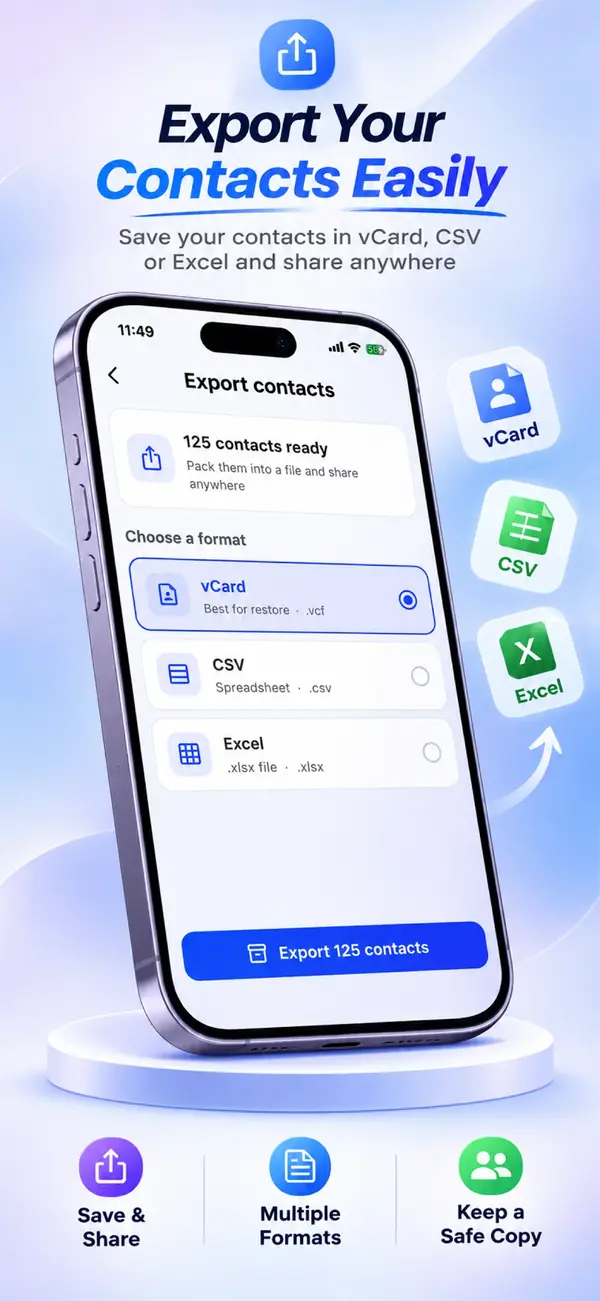
Contacts Backup & Export saves the contacts already on your phone as a vCard, CSV or Excel file, then lets you share the file or keep a copy. Pick the format that fits your task, and the app builds it for you from your current contacts. You can back up, restore and export in the same app.
Frequently asked questions
Can more than one contact go in a single file?
Yes. A vCard, CSV or Excel file holds your whole contact list, saved together in one file.
Can I open a CSV or Excel file on a computer?
Yes. CSV and Excel files open in common spreadsheet programs on a computer, so you can view, sort and edit the table there.
Does exporting change the contacts on my phone?
No. Exporting makes a copy of your contacts as a file, and the contacts stay on your phone exactly as they were.
Why does a service sometimes ask for one file over another?
Each tool is built to read a certain format, so some only accept a CSV while others want a vCard. Save the one the tool asks for.